
09-12-2025
Want to be more Productive? Stop Collecting Retired Fields or Fields Required Historically!
Is your team having trouble meeting abstractor productivity standards? Here is an easy way that might reduce the amount of time your abstractor spends collecting fields that are no longer being exported or not required for cases diagnosed currently. If you have a dynamic research team that is consistently asking for information collected in these fields by all means continue to collect them, but if no one is asking and they are not in any export, you are extorting valuable time from the facility that could be used more productively.
Some software has made it easy by either removing the retired fields or relocating them to a retired tab in the software, however some still have these fields cluttering up precious space in the abstract.
- Identify the Retired Fields- these fields are no longer in any export. Since it is no longer part of the export and if no one is asking for the data, stop collecting it. Update your P&P, indicate in software that it is no longer required, i.e. revise the color coding on your software/hide the field, etc…
- Review the NAACCR Data Standards and Data Dictionary
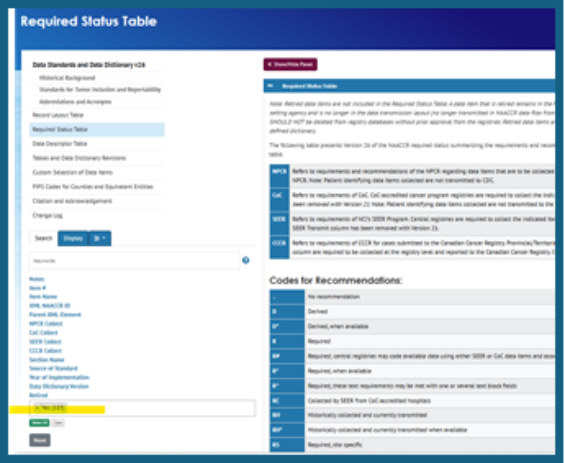
- Click Version -Required Status Table-
- Under the Search box Retired, click and pick YES.
- A list of the Retired Fields will populate. (You can export this list if you wish.) Click on the Data Item and the Description will tell you when it was retired.
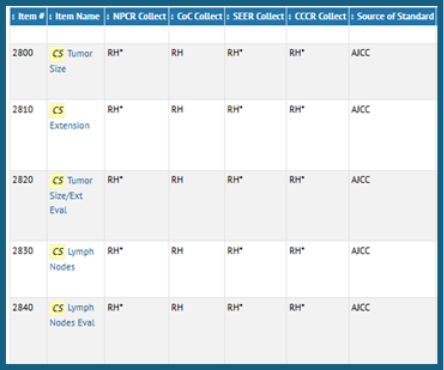
- Identify the Fields that were required historically. If it is no longer required and if no one is asking for the data, stop collecting it. Update your P&P, color code your software, etc. {Example: Still Collecting those CS fields for cases not diagnosed 2005-2015? }
- Review the NAACCR Data Standards and Data Dictionary
- Click Version -Required Status Table
- Review the Table, if it is noted to be RH, RH*, that means it is Required historically but not required currently.
Identify the fields the Proprietary Fields in the Software that are not in any export, but just extra or optional to collect. If it is optional and you are not using it and it is not required to make the software work properly, perhaps you should stop collecting it.